

In this article, I will guide you to install and use this software in the safest way. It only takes you a few minutes to connect to this worldwide VPN network.
What is VPN gate?
VPN Gate another name is SoftEther VPN Client. The software is often chosen by many people to use when having problems with international internet connection. (due to broken fiber optic cable, blocked). International internet speed when using VPN will be more stable when the cable breaks. In particular, it is used by many gamers to play games with servers located abroad. (Many game providers block Vietnamese IP).
This is a research project to expand the knowledge of “global distributed public virtual private network relay server”. Taken at the graduate school of the University of Tsukuba Japan.
Useful to use
Using this project’s VPN Gate you can:
– Bypass the network regulator’s firewall to access location-blocked websites.
– Hide your ip, use a fake ip to access the internet anonymously.
– Protect yourself when using public wifi with strong data encryption.
Pros: This software can bypass most firewalls and especially it’s free. You do not need to register as a user, just install the software and use it right away.
Cons: Due to the use of servers provided by volunteers around the world. VPN servers can appear and disappear at any time. Therefore, the ip address does not always connect to the VPN server.
Instructions for installing VPN gate on personal computers.
Step 1: Download the software to your computer
You download the latest software at the homepage by clicking on the following link (if there are ads, you should turn off the advertising tab)
Download SoftEther VPN Client + VPN Gate Client Plugin .
Step 2: Extract the downloaded file and click on the VPN-gate-client.exe file to install the software.

After running the exe file, select Next to continue

Select SoftEther VPN Client and then click Next to continue
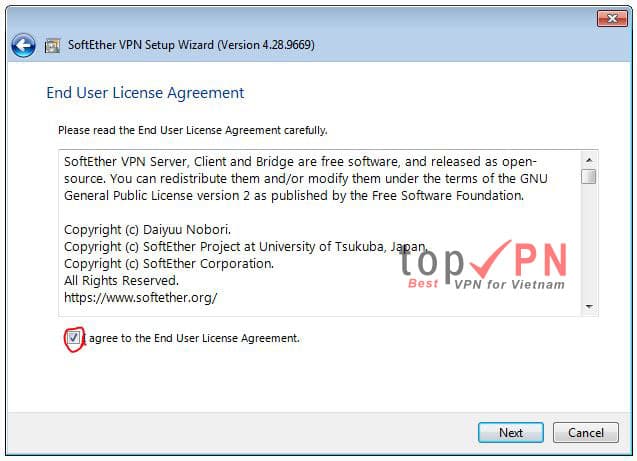
You tick to agree to the new terms to install the program. Then click next

You choose the program installation folder by default (drive C) or choose a separate folder in Specify the Directory mode Then click Next
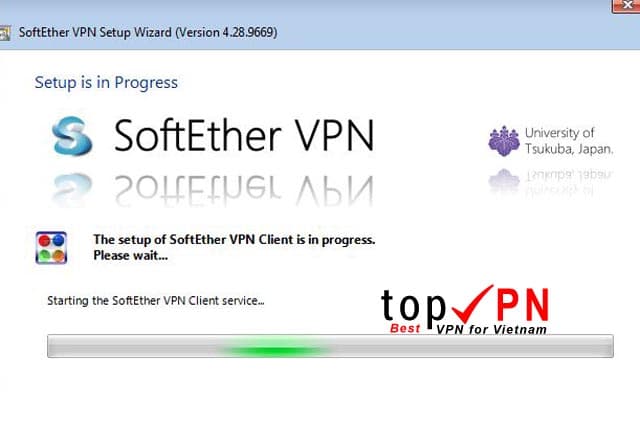
The program is being installed on your computer

After installing the program, click Finish to complete and start the VPN
Step 3: Connect to online server to change foreign IP

Start the program and you will see: In the SoftEther VPN Client management interface, there is a list of available VPN servers VPN Gate Public VPN Relay Server. Double click on that line to view and select the server as shown below
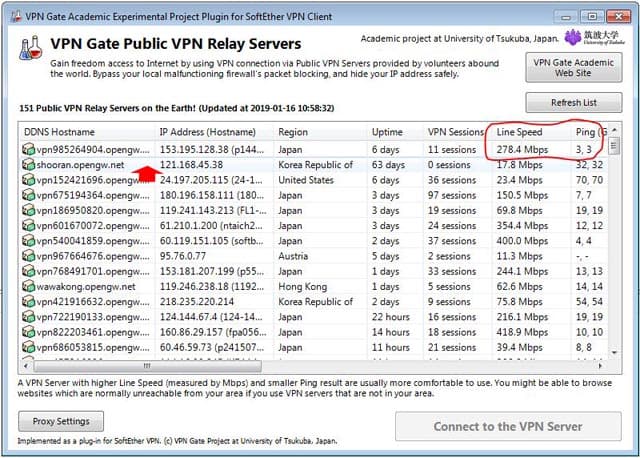
In this list you need to pay attention to 2 indicators Line Speed and Ping. These two metrics directly affect the speed and stability of VPN creation. In addition, the region column indicates the address of the country where the Server is located. When creating a VPN connection, you will use the IP of that country.

To create a VPN to any server, click on that line and click “Connect to the VPN Server”

You click Agree to agree to create a VPN connection

Next, the program will prompt you to choose the protocol type to assign IP and create a virtual network card. You click OK to continue, the program will automatically create a virtual network card if your computer does not have one. You wait until the image below appears, the program has successfully connected.
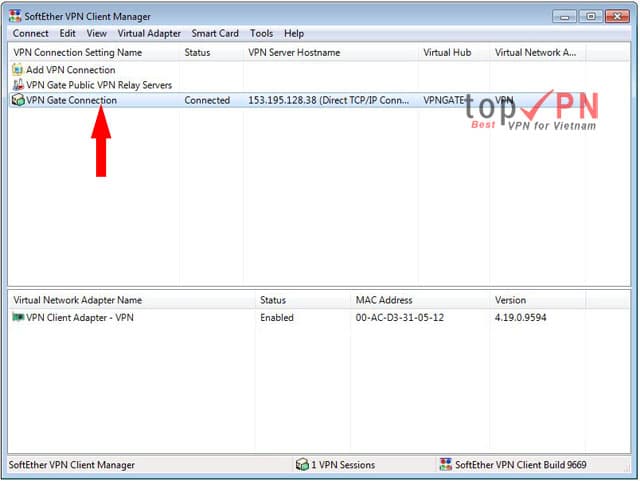
After successful connection, you will see a virtual network card created right below with a specific IP address. So you have fake ip with VPN gate Client done. Now you can access blocked web or play foreign games with stable connection.
Step 4: Disconnect the server when not in use
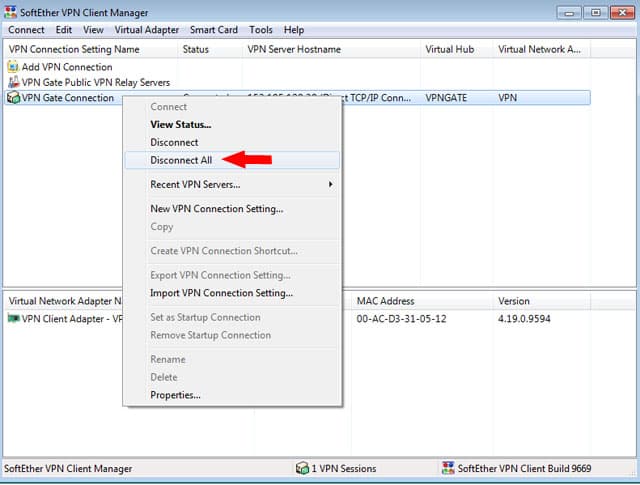
When you don’t want to use it anymore, turn off the program by right-clicking on the virtual network card and select disconnect all .
You have just seen a detailed guide on how to install and use VPN gate client on your computer for free. If you want to fake ip on your phone, you can refer to the article on the best VPN software .